Radio FM
RadioFMMusic & Audio
4.435.23K Reviews
- Version
- Varies With Device
- Installs
- 100.00M
- Age Rating
- Teen
Screenshots
Our Review of Radio FM
 Analysis by Appyee
I judge a radio app by what it helps me do at the moment I reach for it: find something worth listening to quickly, get back to a familiar station without digging, and keep audio playing in the situations where radio makes sense. Radio FM is aimed at that everyday habit rather than at building a carefully curated music library. It is a free music and audio app from RadioFM, and its appeal is the chance to move between stations and spoken audio in one place.
Choose it for discovery, not a personal music collection
The key decision is whether you want live-style radio listening or precise control over individual tracks. With stations from different places and a range of genres to explore, this app suits someone who enjoys letting a presenter, station, or format shape the next listen. If you already know the mood you want but do not want to queue songs one by one, browsing by genre or country can be a useful starting point.
That approach has a trade-off: a station is not the same as a playlist you control. You may hear material you would not have picked yourself, and you cannot assume that a station will match a particular mood every time. I see that as part of radio’s appeal, but anyone who expects every track to be selectable should compare it with an on-demand music service instead.
A practical fit for ordinary routines
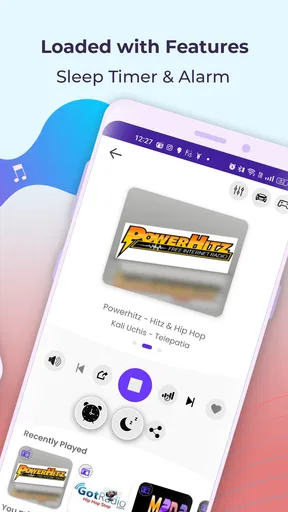
A realistic use is starting a familiar station while getting ready, then switching to a news or talk format during a commute. Saving a few regular choices as bookmarks makes that change easier than searching from scratch. At home, I would use the sleep timer when listening in bed and an alarm when I want a station to be part of a morning routine. Those tools make the app more useful when listening is tied to a habit, not just an open-ended browsing session.
It is also a good choice for people who like hearing what is popular or being discussed somewhere else. International stations can make a routine listen feel less predictable, while browsing by country gives discovery a clearer direction than tapping through random recommendations. The useful tip is to save stations as you find them: a short personal list can keep repeat listening simple even when the wider catalogue feels large.
Where another kind of audio app may be better
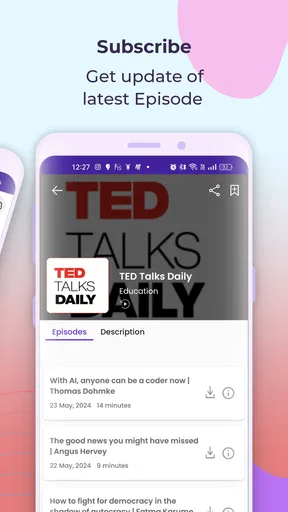
Radio apps, music-streaming services, and podcast players answer different needs. A radio app is the natural choice when I want a station’s flow or a live presenter. An on-demand music service is better when I need exact tracks, deliberate playlists, or control over what plays next. A dedicated podcast app may suit someone whose main routine is following particular shows and managing episodes. Those alternatives are not automatically better; they are better when their specific listening style matches yours.
There is a similar distinction with local broadcast radio. If you mainly want the stations available over the air in your area, a conventional radio may be simpler and may not rely on an internet connection. The attraction here is being able to explore stations beyond that local set. In practice, I would decide based on where I listen most and whether variety across places matters more to me than having a direct, familiar local signal.
What to check before settling into a routine
Live audio depends on a reliable internet connection, so I would not plan around uninterrupted listening in a place where connectivity is poor. The app’s description of some stations offering offline listening should not be treated as a guarantee that every station can be downloaded. Before a long trip, check the options for the specific audio you intend to use and have another plan if you need dependable offline playback.
Bluetooth can make listening more convenient through headphones, a car stereo, or a speaker, but pairing and playback still depend on the phone and the connected device working well together. For a commute, I would connect and test the setup before setting off rather than troubleshoot while travelling. At home, a brief volume check is sensible when switching between stations, since different broadcasts may not sound equally loud.
One less obvious way to use the app is as a low-effort language and culture sampler. Instead of searching only for a familiar genre, browse a country and listen for a while; presenters, adverts, and station styles can be as distinctive as the music. I would treat this as casual discovery rather than a structured language lesson, but it gives the international selection a purpose beyond simply finding another playlist.
What the audience and price suggest
The app has been available since March 21, 2013, and its audience is substantial: it has over 100 million installs, around a 4.4 average from about 1 million ratings, and roughly 35,000 written reviews. Those figures suggest that many people have tried it, but they do not tell me whether a particular station will suit your taste or work well on your connection. I would use the free download to explore the stations and judge the day-to-day experience for myself.
It is rated Teen, which is worth keeping in mind for family use, especially when listening involves a mix of stations and spoken programming. The app is free to download, with optional in-app purchases ranging from about 49 cents to nearly 42 dollars per item. I would check the purchase details in the app before confirming anything and decide whether the free experience already covers the way I listen.
Exploring the World of Radio
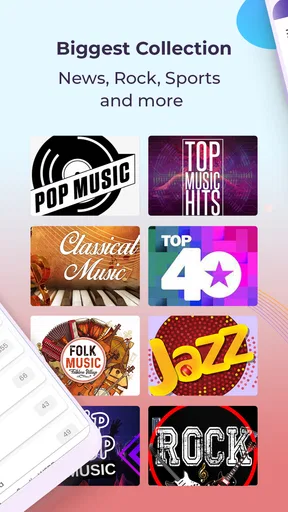
First off, the sheer variety of stations available on Radio FM is mind-blowing. Whether you’re into pop, rock, jazz, or even niche genres like K-pop or classical, there’s something for everyone. The app connects you to stations not just from your local area, but from all over the globe. It’s like a magic carpet ride for your ears!
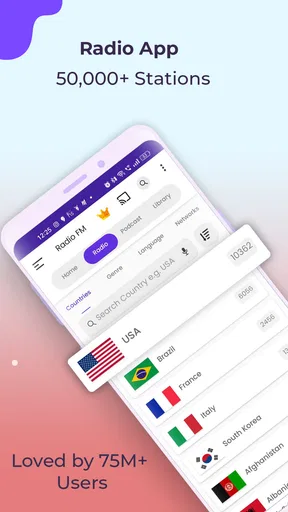
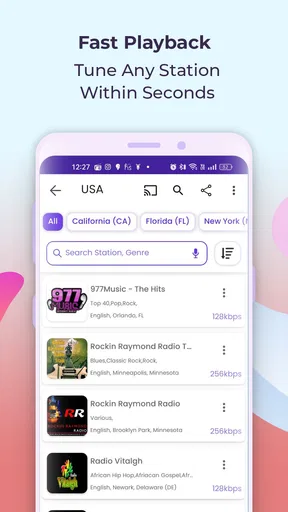
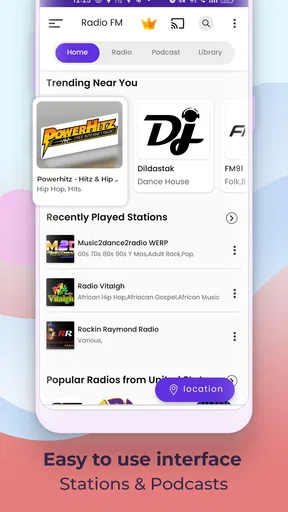
One thing I loved about this app is how easy it is to find your favorite stations. You can browse by genre, country, or even search for specific stations if you know exactly what you’re looking for. The interface is super user-friendly, so you won’t be fumbling around trying to figure things out. Just a few taps and you’re good to go.
Customizing Your Experience
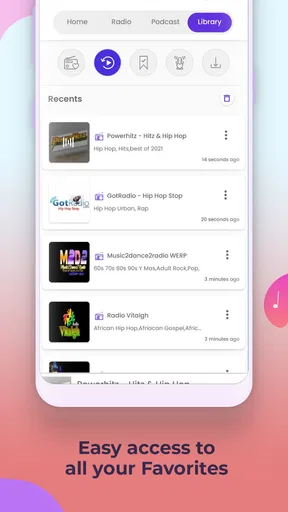
Now, I know what you’re thinking—"What if I want to create my own playlist or save my favorite stations?" Don’t worry, Radio FM has got you covered. You can bookmark your go-to stations for quick access and even set alarms so you wake up to your favorite morning show. It’s like having a personal DJ who knows exactly what you want to hear.
Another cool feature is the sleep timer. If you’re like me and love falling asleep to some chill tunes, you can set the app to turn off after a certain period. No more waking up in the middle of the night with your phone blaring music!
Offline Mode and Connectivity
Let’s talk about connectivity. While Radio FM primarily needs an internet connection, it’s surprisingly efficient on data usage. So, you won’t have to worry about burning through your data plan. Plus, some stations offer an offline mode, letting you download and listen later, perfect for those long flights or road trips.
The app also connects seamlessly with Bluetooth devices. Whether you’re using earbuds, a car stereo, or a home speaker system, the sound quality is consistently top-notch.
Why Radio FM Stands Out
What sets Radio FM apart from other radio apps is its commitment to user experience. The design is sleek, navigation is intuitive, and the app rarely crashes or glitches. It’s also regularly updated, ensuring you have access to the latest features and improvements.
Moreover, the app supports a wide range of languages and offers a diverse selection of international stations. It’s a great way to discover new cultures and expand your musical horizons.
Making the switch without losing your listening habits
Trying a new radio app does not have to mean abandoning the stations you already like. I would start by searching for two or three known stations, bookmarking the ones that play reliably, and only then exploring unfamiliar countries or genres. That gives you a dependable starting point while you learn how the catalogue is organized. If a favorite station is not available or does not connect consistently, keeping a separate way to reach it is a sensible backup rather than a reason to rebuild your whole listening routine around one app.
The same gradual approach helps if you are moving from playlists. Keep your music service for occasions when exact song choice matters, and use this app when you want a broadcast to fill the room or introduce something unexpected. The two styles can complement each other. I would not cancel or replace a service I rely on until I have tried my usual listening times and confirmed that radio actually fits those moments.
Small habits that make listening smoother
When browsing, I find it helpful to search with a specific goal: a country, a genre, or a station name. Wandering without a plan can be fun, but it can also turn a quick listening break into a long search. Once you find a station you like, bookmark it immediately; that simple step is especially valuable if you use the app in a car or while getting ready, when repeated searching is inconvenient.
For sleep listening, set the timer before putting the phone down and check that the audio stops as expected. For a morning alarm, choose a station you already know rather than leaving the choice to a last-minute search. These are small precautions, but they make the app’s timer and alarm features more dependable parts of a routine instead of features you only remember after they would have helped.
Data use is another point I would judge in context rather than assume away. Streaming audio still relies on connectivity, and listening for a short break is different from leaving a station on for hours while away from Wi-Fi. If your mobile plan is limited, try a normal session and check your phone’s data usage afterward. That gives you a practical basis for deciding when to stream, rather than relying on a broad claim that any streaming app will be light on data.
Who I would recommend it to
I would recommend Radio FM to someone who wants a convenient way to browse stations from different places, enjoys presenters and varied programming, or likes having background audio without choosing every track. It is particularly appealing if you move between music and talk and want bookmarks, an alarm, and a sleep timer in the same listening routine.
I would steer away from it if your priority is guaranteed offline playback, exact control of a music queue, or a tightly organized library of podcast episodes. A dedicated option for those needs is likely to feel more direct. It may also be a poor fit if your usual listening happens where internet access is unreliable and you do not want to plan around that limitation.
My recommendation
For me, the strongest reason to try this app is the mix of familiar radio habits and international discovery. It offers a straightforward route from a known station to something new, with practical tools for listening at bedtime or starting the day. The main compromise is that an internet-based station experience is not a substitute for every kind of audio, and the availability of offline listening can vary by station.
If that trade-off suits you, the free download makes it easy to test the app against your real routine: find a local favorite, save it, try one station from somewhere new, and see whether the connection holds up where you listen. I would keep it as a handy companion to other audio apps rather than expect it to replace them all. That is where it makes the most sense: a simple way to let radio choose the next sound when I do not feel like choosing it myself.
Privacy and Permissions
See what permissions an app requests and how it handles your data.
- Location
- approximate location (network-based), precise location (GPS and network-based)
- Photos/Media/Files
- read the contents of your USB storage, modify or delete the contents of your USB storage
- Storage
- read the contents of your USB storage, modify or delete the contents of your USB storage
- Camera
- take pictures and videos
- Microphone
- record audio
- Wi-Fi connection information
- view Wi-Fi connections
- Other
- view network connections, change network connectivity, connect and disconnect from Wi-Fi, full network access, change your audio settings, run at startup, draw over other apps, control vibration, prevent device from sleeping, modify system settings, set an alarm, install shortcuts, Google Play license check, read Google service configuration
Verdict
Strengths of Radio FM
- User-friendly interface for easy navigation.
- Extensive range of global radio stations.
- Offline playback for recorded shows.
- Customizable favorites list for quick access.
- Sleep timer feature for automatic shutdown.
Limitations of Radio FM
- Contains frequent in-app advertisements.
- Requires stable internet connection.
- Limited recording time for offline use.
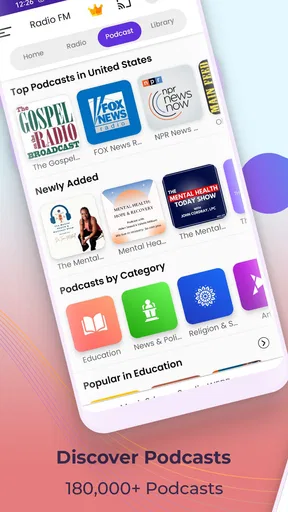
- No support for podcasts or on-demand shows.
- Some stations may have streaming issues.
Similar Picks in This Category
View All
YouTube Music
Google LLC4.4

Samsung Music
Samsung Electronics Co., Ltd.3.8

Spotify: Music and Podcasts
Spotify AB4.3

JioSaavn - Music & Podcasts
Saavn Media Limited4.3

Lark Player:Music Player & MP3
Lark Player Studio - Music, MP3 & Video Player4.6

StarMaker: Sing Karaoke Songs
SKYWORK AI PTE. LTD.4.3
You May Also Like
View All
Frequently Asked Questions
What is Radio FM and how does it work?
Radio FM is a versatile app that allows users to listen to a wide array of radio stations from around the world. It streams live radio broadcasts over the internet, enabling access to music, news, sports, and talk shows. Users can search for stations by genre, country, or language, making it a convenient tool for both discovering new content and staying connected to familiar favorites.
Is Radio FM free to use, and are there any in-app purchases?
Radio FM is free to download and use, offering a wide selection of stations without any cost. However, it may include advertisements to support the service. Some features, such as ad-free listening or premium stations, might require in-app purchases or subscriptions, providing users with an enhanced listening experience.
Can I use Radio FM offline or without an internet connection?
Radio FM requires an internet connection to stream live radio broadcasts, so it cannot be used offline. Users need a Wi-Fi or mobile data connection to access and listen to the available radio stations. It's important to be mindful of data usage if streaming over a mobile network, as it can consume a significant amount of data.
What platforms is Radio FM available on, and how can I download it?
Radio FM is available on both Android and iOS platforms. Users can download the app from the Google Play Store for Android devices or the Apple App Store for iOS devices. Installation is straightforward, and users simply need to search for 'Radio FM' in their respective app store and follow the prompts to install.
Does Radio FM offer customization options for users?
Yes, Radio FM offers several customization options to enhance user experience. Users can create a list of favorite stations for easy access, customize the app’s appearance with different themes, and set sleep timers to automatically stop playback. These features allow users to tailor the app to their personal preferences and listening habits.
